Shopify App · Bulk Editor
metangelo█
Fill in dimensions for every variant. See each edit before it is written, see every value land, and take a commit back after. A bulk editor for the metafields on your variants.
Fill in dimensions for every variant. See each edit before it is written, see every value land, and take a commit back after. A bulk editor for the metafields on your variants.
Variants down the side, your fields across the top. Type, paste down a column, or drag a value down, the way a spreadsheet works. Every edit is staged, not written.
Say which of your fields hold length, width and height, and the grid opens on those three columns with a count of how many variants already have a value.
Nothing is written until you have reviewed each row, with its value in the store now and its value after the commit. Only the cells you changed are sent.
After a commit, each value is read back from your store and each row is given an outcome: written, unchanged, or failed with Shopify's own reason.
Put a commit's values back the way they were. A value that changed since the commit is left as it is, and the revert says which.
Download every variant as a CSV file, fill it in a spreadsheet, and upload it. It lands in the same review, with the rows that could not be read listed by reason.
Pick the variant metafields you want as columns, or open the dimensions template and point it at your length, width and height fields. Choosing changes nothing in your store.
Search and filter to the variants you mean, then type or fill values down. Edits stay staged in a tray until you are ready, and you can discard any of them.
Review the before and after of every row, commit, and watch each value come back from your store. If something is wrong, revert the commit.
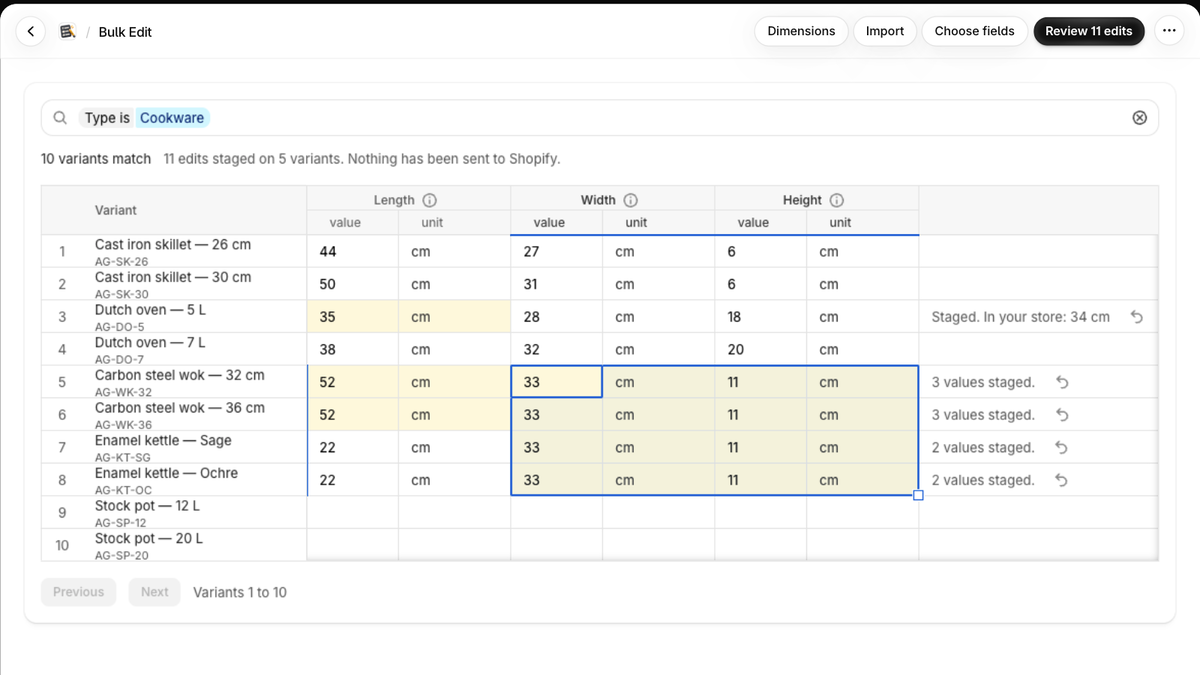
The grid, filtered to one product type, with a value filled down and the staged cells tinted.
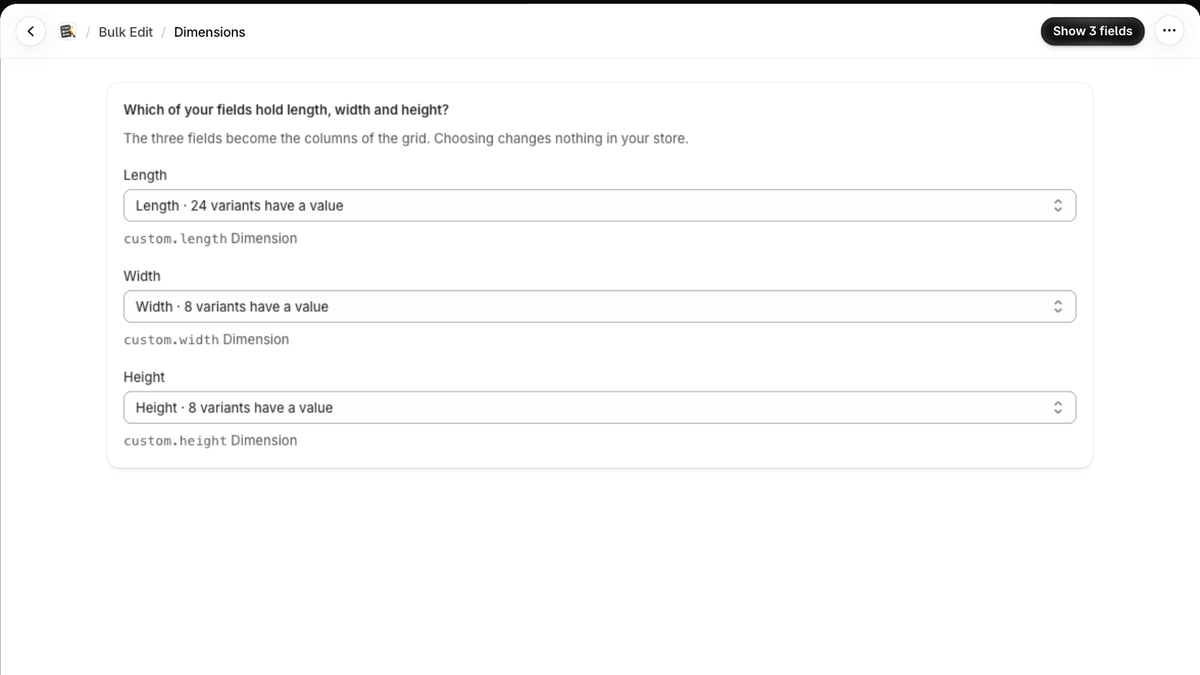
The dimensions template: three pickers, each with a count of variants that hold a value.
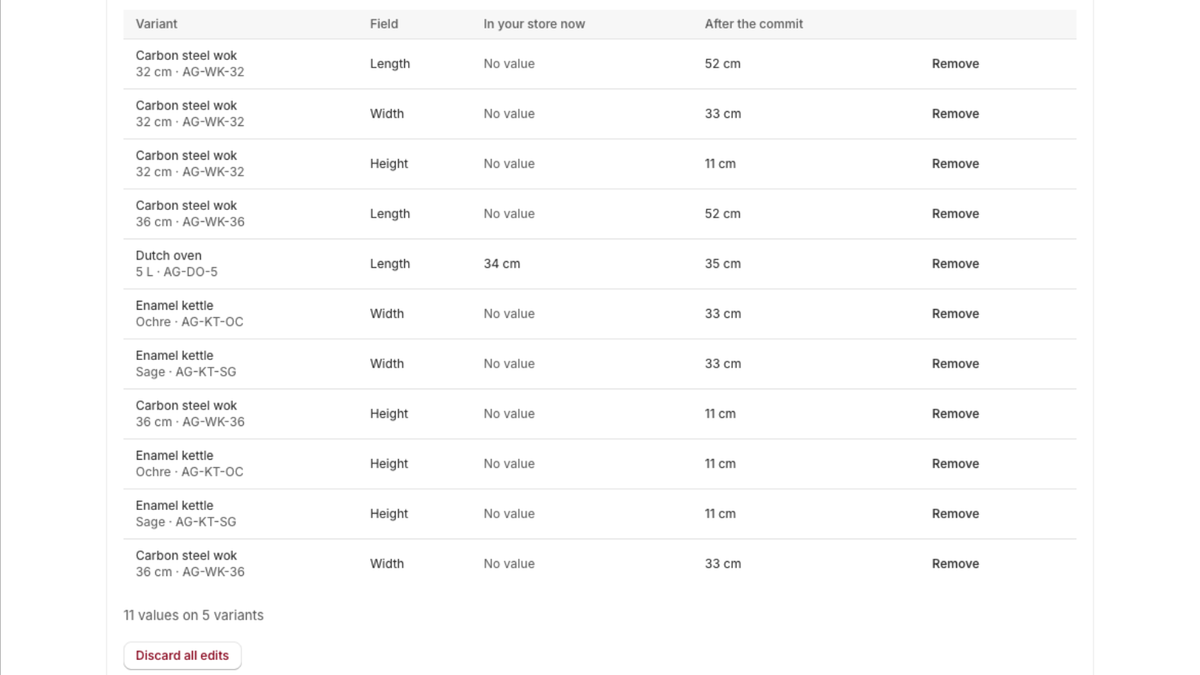
Review edits: every row with its value in the store now and its value after the commit.
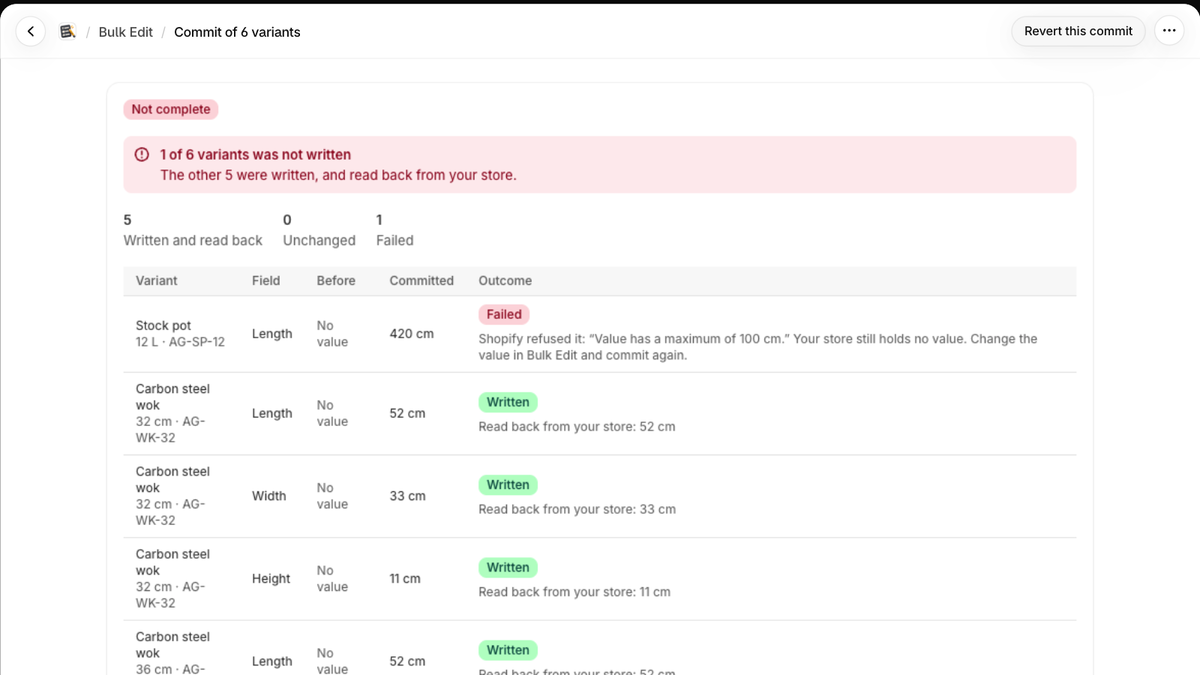
A commit's result: each row written and read back, or failed with Shopify's reason.
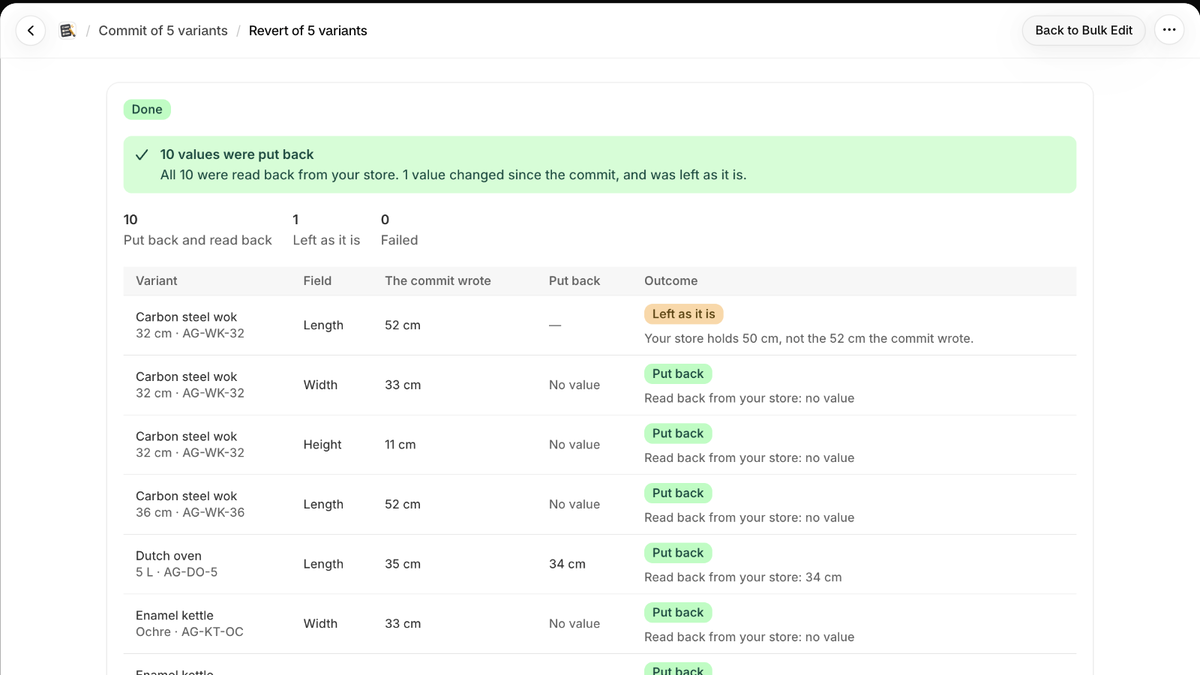
A revert: values put back and read back, and one left as it is because it changed since.
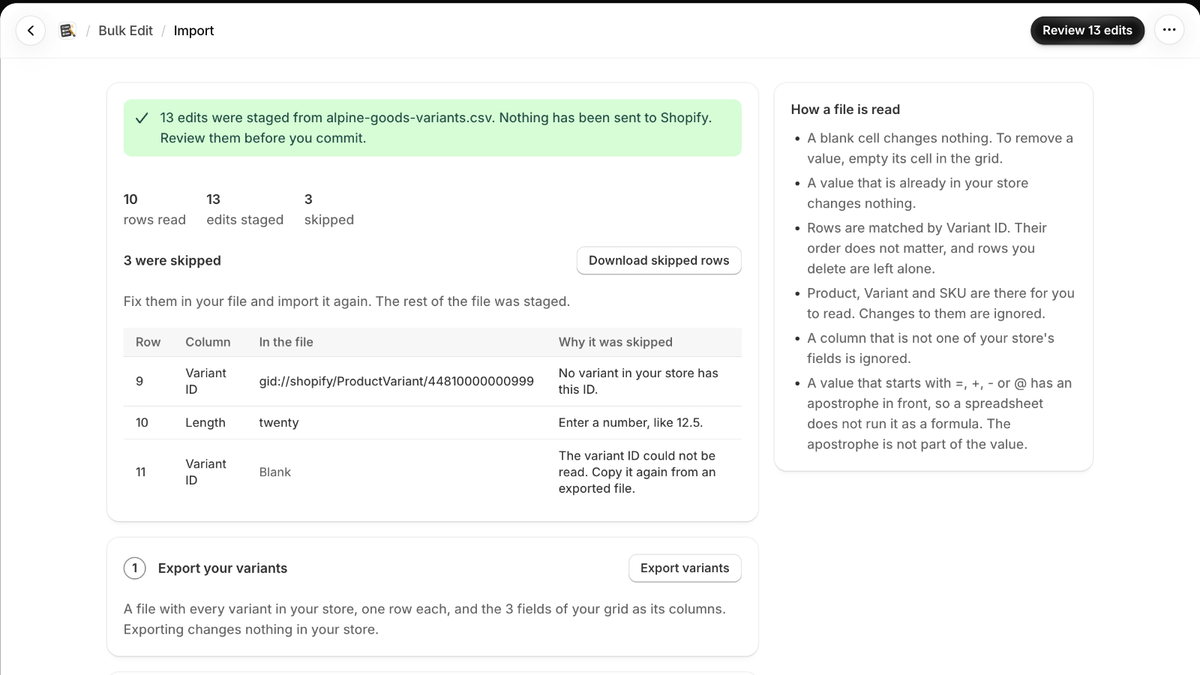
A CSV import: the edits staged from the file, and the rows skipped with the reason for each.
Merchants whose catalogue is too large to fill by hand, and who keep dimensions or other values in variant metafields: the shops that need length, width and height on every variant for a shipping rate, a size chart or a feed, and want to see what was written rather than hope. If your dimensions live on the product rather than the variant, metangelo will not find them yet.
A value is one cell written to your store and read back. The count starts again each calendar month. There is no separate trial: the free plan is the trial, and billing goes through Shopify.
metangelo asks for each permission only when a screen needs it, reads no customer name, email, phone or address, and deletes what it keeps for your store after you uninstall. The privacy policy says exactly what is stored and for how long, and the data protection policy how it is protected.
metangelo is coming to the Shopify App Store. Free for 10,000 values a month.
Ask about metangelo →